Inside YouTube videos: skip the ad reads, see the gore coming, find the answer
A title that promises an answer, a two-minute ad read in the middle, a “smash that like button” at the end. Baitfree now handles the inside of a YouTube video, not only its title and cover.
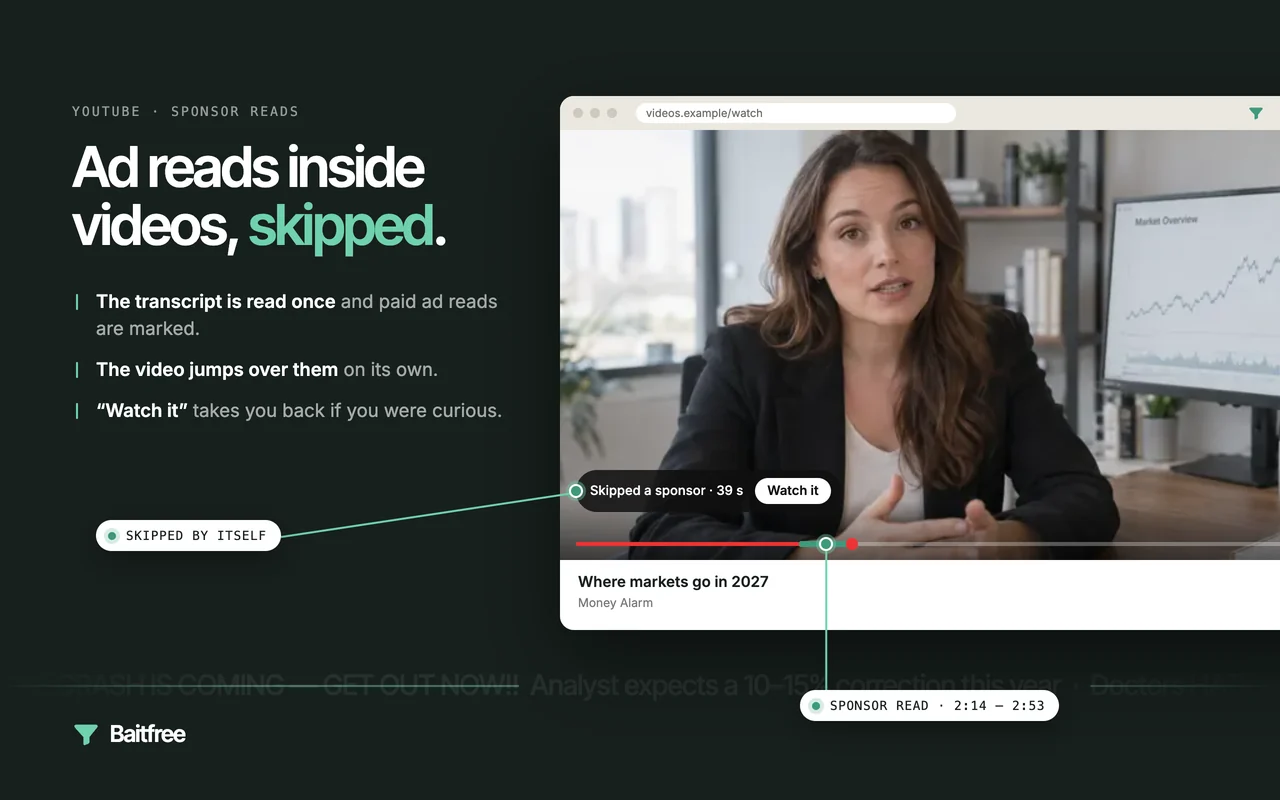
Four things it does
- Skips sponsor reads. The paid ad in the middle of a video — the product pitch, the discount code, the “thanks to our sponsor” lead-in — is jumped over once, and a small pill says what was skipped and offers to go back.
- Skips self-promotion and like-and-subscribe requests. Merch, courses, Patreon, “join the channel”, “comment below and turn on notifications”. Same pill, same way back.
- Warns before graphic details. When a true-crime story or a disaster documentary is about to describe violence, injuries or a death in vivid detail, a pill appears a few seconds ahead: “Graphic details ahead · 30 s — Skip them”. It never skips these by itself; you decide.
- Marks where a video answers its title. When a title teases — “The real reason…”, “I tried … for 30 days” — Baitfree looks for the moment that delivers, and points to it: “The title’s answer is at 0:53 — Jump there”.
Everything it found is also drawn on the progress bar: skipped parts in green, graphic details in orange, a white dot at the answer.
How it works
When a video opens, Baitfree reads its transcript — the same text YouTube shows in its “Transcript” panel, so it works with captions turned off. Each line of a few seconds is shown to a fast decision model (Jev, by TypeSafe) together with the lines around it, with one question: is this line the video itself, a sponsor read, self-promotion, a request to like and subscribe, or graphic detail? Lines that the model is sure about start a range; neighbouring lines it is less sure about join it, because the edges of an ad are always the fuzziest part.
The answer to a title is looked for only when the title actually teases. A short first check tells a curiosity gap (“The real reason why all planes were grounded”) from a plain title (“How to switch to Linux”); only then is every line asked whether it gives the answer.
The whole video takes well under a second to read, and the result is kept, so the same video is never read twice.
What it got right in testing
- On a tech review with two sponsor reads, the second one was found at 9:50–11:11; the range viewers had marked by hand was 9:52–11:09.
- On “The real reason for brains”, a TED talk, the answer was found at 0:53: “to produce adaptable and complex movements”.
- On “The real reason why all planes were grounded in USA”, the answer was at 0:30, in the first minute.
- On a talk with no ads at all, nothing was marked.
- On a 46-minute true-crime documentary, the four passages with explicit detail of the crime were marked, and the rest of the story was not.
When the answer to a title is spread over the whole video, Baitfree says nothing rather than guess.
What leaves your browser
The video’s title and its transcript (spoken text with timestamps), once per video, to be judged. Each of the four features has its own switch in the settings, and with all of them off nothing is sent. The details are in the privacy policy.
Baitfree is free during early access. Install it, read exactly what it sends, agree, and it starts working — no account, no card, no API keys.
Add to Chrome — free